A thoughtful desk upgrade can make everyday work feel more comfortable and organized. These ten ideas cover useful changes for different workspaces and interests.
Consider the recipient’s existing setup before choosing: desk space, device compatibility, and the kind of work or downtime they enjoy can all shape the right fit.
10 Home Office Tech Gift Ideas for Different Workstyles
HUANUO FlowLift Single Monitor Mount

- The arm fits monitors from 13 to 32 inches and supports 4.4 to 19.8 lbs.
- Adjust the screen with tilt, swivel, and rotation movement.
- Choose between clamp and grommet mounting.
Best Gift For: A home office worker who wants to adjust their monitor position at the desk.

Nulaxy Pull-Out Height Adjustable Laptop Stand

- Its pull handle changes the stand’s height for sitting or standing.
- It fits laptops from 10 to 17 inches.
- The foldable stand can be stored compactly when not in use.
Best Gift For: Someone who alternates between sitting and standing while working at a desk.
SABRENT 5-in-1 USB-C Hub
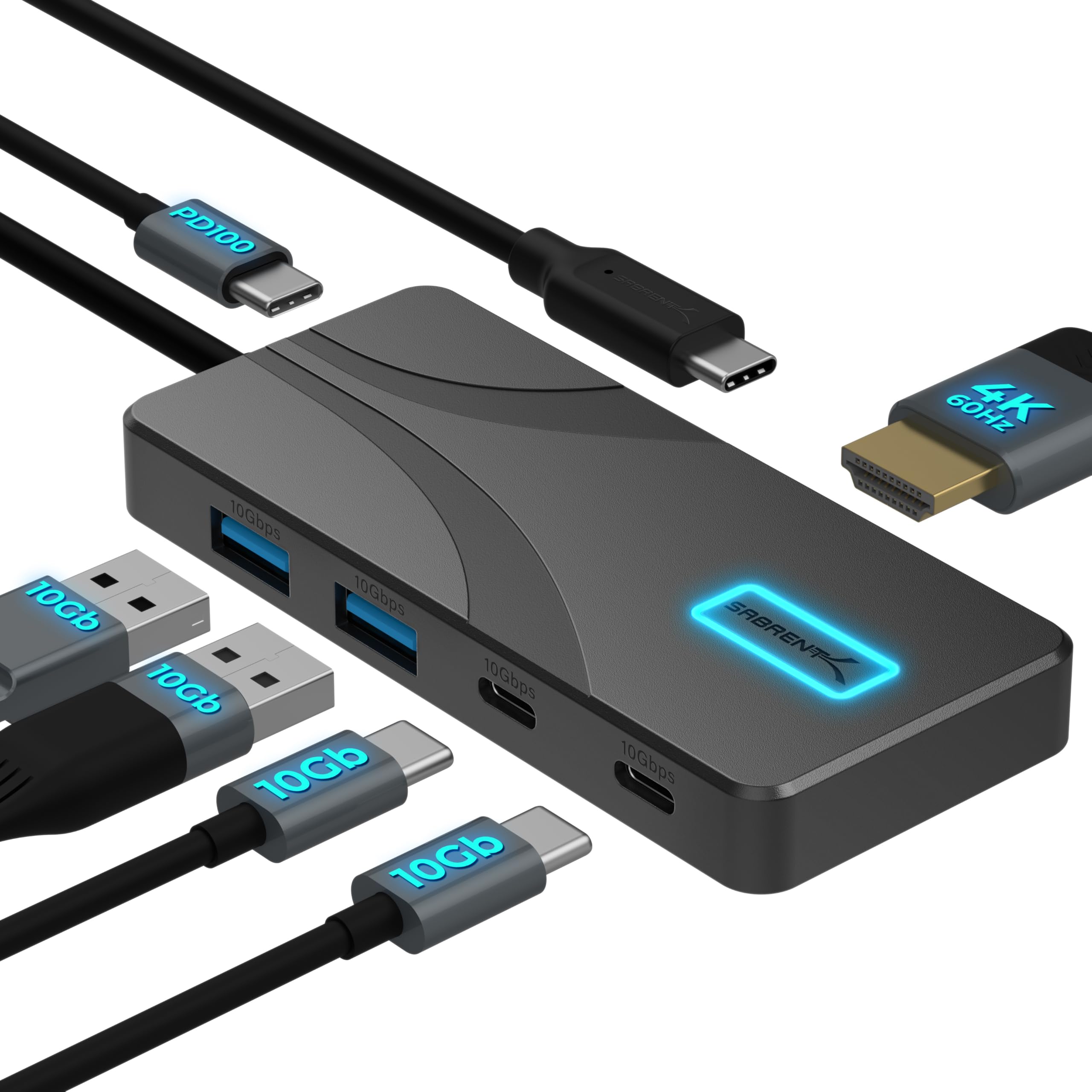
- It has two USB-A 10Gbps data ports, two USB-C 10Gbps data ports, and a dedicated USB-C PD input.
- It supports HDMI output up to 4096×2160@60Hz.
- The aluminum housing uses passive cooling without fans.
Best Gift For: A laptop user who wants a compact hub for desk peripherals and an external display.
TP-Link BE6500 Wi-Fi 7 Router
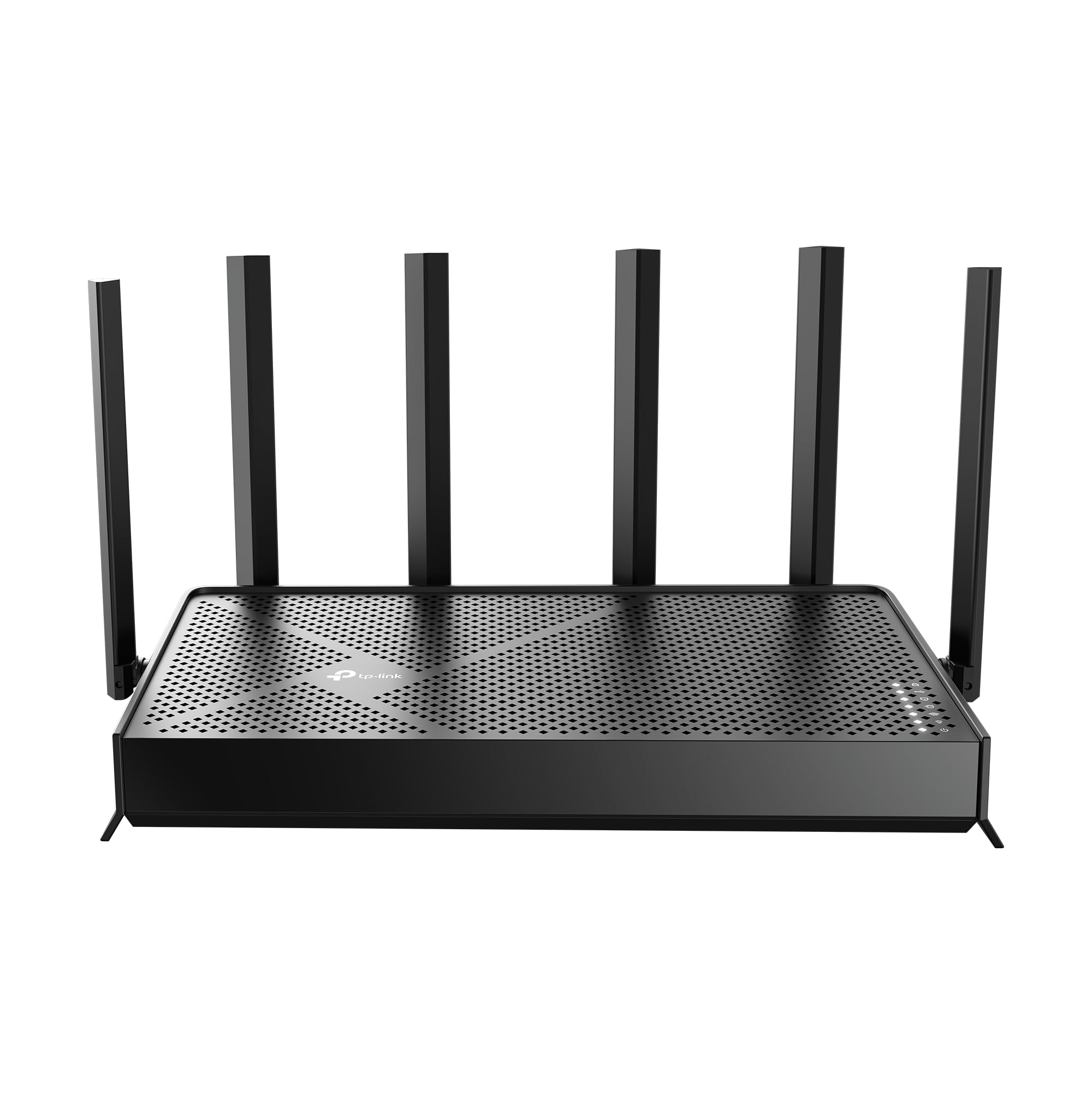
- It supports up to 2,400 sq. ft. of coverage for up to 90 devices.
- The router includes two 2.5 Gbps ports and three 1 Gbps LAN ports.
- Network settings can be managed through the Tether app or web interface.
Best Gift For: A remote worker looking to refresh the home network used by work devices.
JLab Go Work Wireless Headset (1 Pack)

- Bluetooth multipoint connects the headset to two devices at once.
- It includes a USB-C to 3.5mm cable for wired listening.
- The boom microphone rotates out of the way for listening and back for calls.
Best Gift For: Someone who moves between laptop calls and mobile conversations during the workday.
FIFINE AmpliGame AM8W USB/XLR Microphone

- USB and XLR connections support use with a PC or mixer sound card.
- The microphone has a gain knob and tap-to-mute control.
- RGB lighting can be changed with a button when using USB.
Best Gift For: A home office creator who records voiceovers, podcasts, or streams.
Sleek Socket Flat Outlet Concealer with 3-Foot Cord
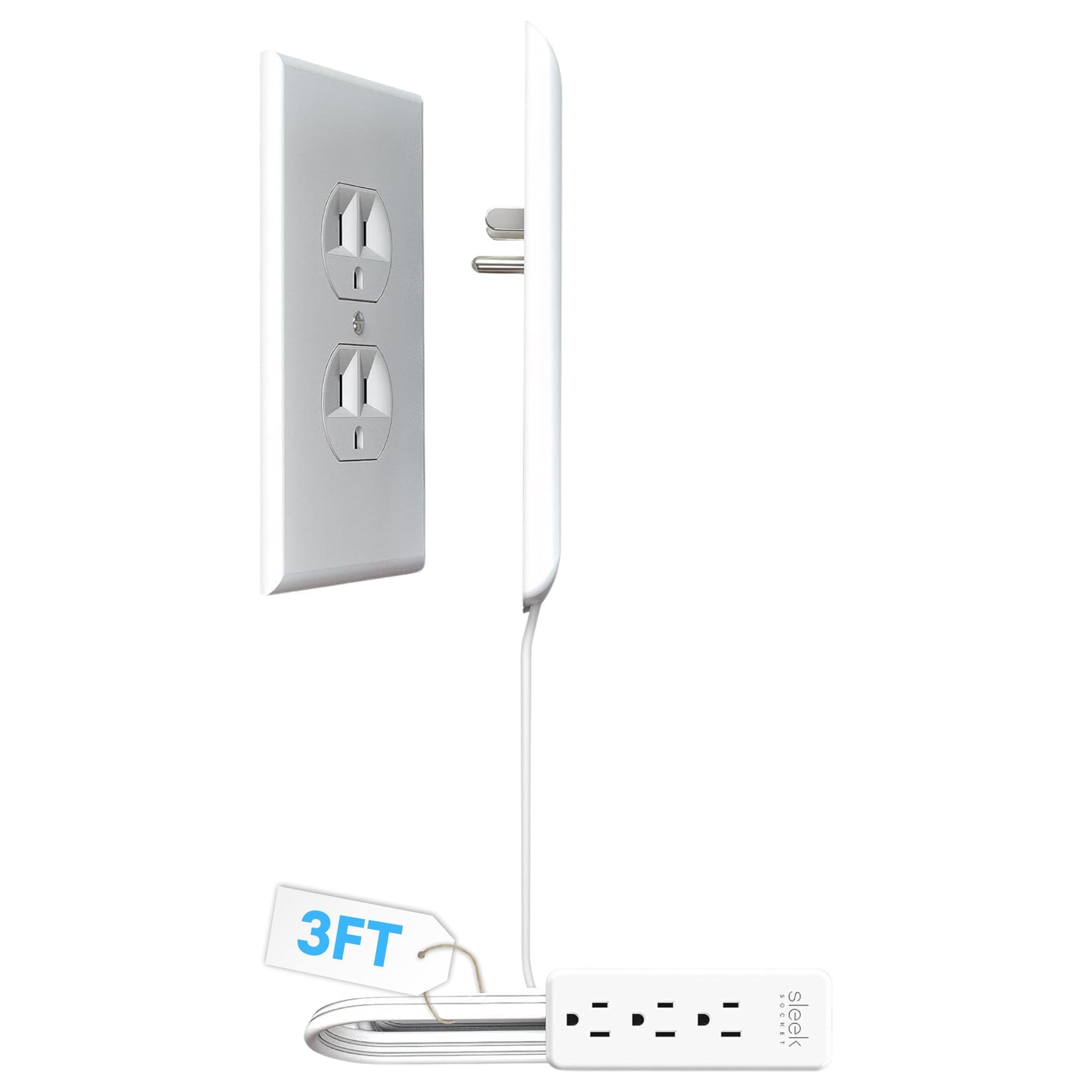
- The kit includes a 3-foot cord and a 3-outlet power strip.
- Adhesive clips and strips help secure the cord along a wall.
- It attaches to a duplex outlet without tools.
Best Gift For: Someone who wants to neaten visible plugs and cables around a desk or furniture.
Audioengine A2+ Wireless Computer Speakers

- The compact powered speakers are designed for nearfield desk listening.
- They can connect wirelessly to phones, tablets, and computers.
- The speakers also offer USB-C, RCA, and 3.5mm AUX inputs.
Best Gift For: A home office listener who enjoys music, podcasts, or video calls at their desk.
SteelSeries Apex Pro Wired Gaming Keyboard

- The keyboard offers per-key actuation settings.
- Its OLED display shows information from games and apps.
- A USB passthrough can connect another USB-powered device.
Best Gift For: A home office worker who also enjoys PC gaming and customizable keyboard controls.
SteelSeries Aerox 3 Wireless Gaming Mouse

- The mouse weighs 68g.
- It supports 2.4GHz wireless and Bluetooth 5.0 connections.
- Its interior is shielded from water splashes, dust, and dirt, with IP54 rating.
Best Gift For: A desk worker who enjoys wireless PC gaming after work.
1. Start With the Workday: Home Office Tech Gifts
When choosing home office tech gifts, picture a normal workday in the recipient’s space. Do they spend hours on video calls, switch between a laptop and phone, or need room for papers beside the keyboard?
A gift that fits a recurring task is more likely to earn a place on the desk.
For someone who works from a fixed station, think about how they use the screen and where cables gather. A person who moves between rooms may value a compact accessory more than a permanent desk fixture.
If you are unsure, ask about their setup or choose something easy to integrate.
Consider what they already own before buying. A monitor accessory needs a compatible display and desk, while a hub or audio device depends on the recipient’s ports and operating system.
A quick, casual question can prevent a thoughtful present from becoming a duplicate or mismatch.
2. Set a Comfortable Budget
The ideas here range from modest desk helpers to substantial workspace upgrades. Decide on a comfortable spending level before shopping, then compare what the gift solves: a small outlet tidy-up can address a visible annoyance, while larger network or audio equipment may suit someone planning a broader refresh.
A higher budget makes sense when the recipient has mentioned a specific need and the equipment will fit their setup. If you are shopping for a colleague or someone whose preferences you do not know well, a practical, lower-commitment accessory can feel considerate without asking them to redesign their workspace.
Check actual prices before purchasing, since prices can change. For devices that connect to existing equipment, verify compatibility and required accessories as well.
A hub may need a compatible USB-C port, and a screen mount needs a suitable display and desk; confirm dimensions and connection details rather than guessing.
3. Personalize the Gift: Home Office Tech Gifts
Personalization starts with the person’s routines, not a generic idea of a perfect office. For home office tech gifts, consider whether they prefer a quiet, uncluttered surface, enjoy music while working, or make frequent calls.
A small note explaining why you chose it can make a practical object feel specifically meant for them.
Think about the room as well as the device. Someone sharing a dining table may appreciate something that folds away or tidies cables; a dedicated desk can accommodate a more permanent upgrade.
Keep colors and finishes in mind if the recipient has already shaped a particular look for their workspace.
Presentation can stay simple: wrap the item neatly, add a short handwritten message, and include a gift receipt when available. For equipment that needs setup, offer to help only if the recipient would welcome that.
Giving them space to choose placement and settings respects the way they work.
4. Match the Gift to Their Setup
Compatibility makes a practical gift thoughtful. Before buying electronics, check the recipient’s computer, available ports, monitor, desk surface, and the space around the work area.
For anything that attaches to furniture or changes screen placement, measurements and mounting details matter as much as the product’s general purpose.
For audio or call equipment, think about how the recipient takes meetings and whether they prefer wired or wireless connections. For network equipment, consider whether they manage their own home setup and would welcome a larger change.
When you cannot confirm these details, choose a flexible accessory or ask a trusted person who knows the workspace.
Avoid assuming that a familiar brand or connector guarantees a fit. Review current compatibility information, dimensions, included components, and any accessories that may be needed.
This short check is especially useful when a gift will connect to equipment the recipient uses daily, where an unexpected mismatch could delay putting it to use.
5. Make Last-Minute Shopping Useful
A late gift can still feel considered if you narrow the choice quickly. Start with one useful clue: a recurring desk complaint, a hobby they enjoy after work, or a task that takes up much of their day.
Then compare a few options and choose the one that fits the strongest clue rather than trying to solve every workspace issue at once.
Before ordering, check the current delivery estimate and whether the item is available in the preferred finish or configuration. Delivery timing can vary, so keep a backup plan such as a printed note about the gift or a small card to present on the occasion if the package arrives later.
If timing is tight, a digital gift card to a retailer the recipient already uses can be a practical fallback. Add a personal message about what you hope it helps them choose, such as an accessory for their desk or a workspace improvement they have been considering.
That leaves the final fit in their hands.