The right creator gift can make recording sessions smoother, improve a setup, or help bring a video idea to life. These picks cover audio, lighting, camera support, file transfers, and portable power.
Whether they film at a desk, on location, or while traveling, choose around the part of their workflow they most want to improve.
11 Gift Ideas for YouTubers and Video Creators
MAONO Wave T5 Wireless Lavalier Microphone

- The wireless lavalier microphone offers four voice filters for different recording styles.
- Noise cancellation has three modes and fourteen levels adjustable through the Maono Link App.
- The charging case provides forty hours of total use.
Best Gift For: YouTubers who record voice-led videos, interviews, or outdoor content.

FIFINE T669 USB Condenser Microphone Kit

- The microphone connects to a PC or laptop by USB for plug-and-play setup.
- The kit includes an adjustable boom arm and double pop filter.
- The cardioid capsule captures sound from the front and helps avoid ambient noise.
Best Gift For: Creators recording voiceovers, podcasts, or vocals at a computer.
MACTREM 22-Inch Ring Light with Tripod
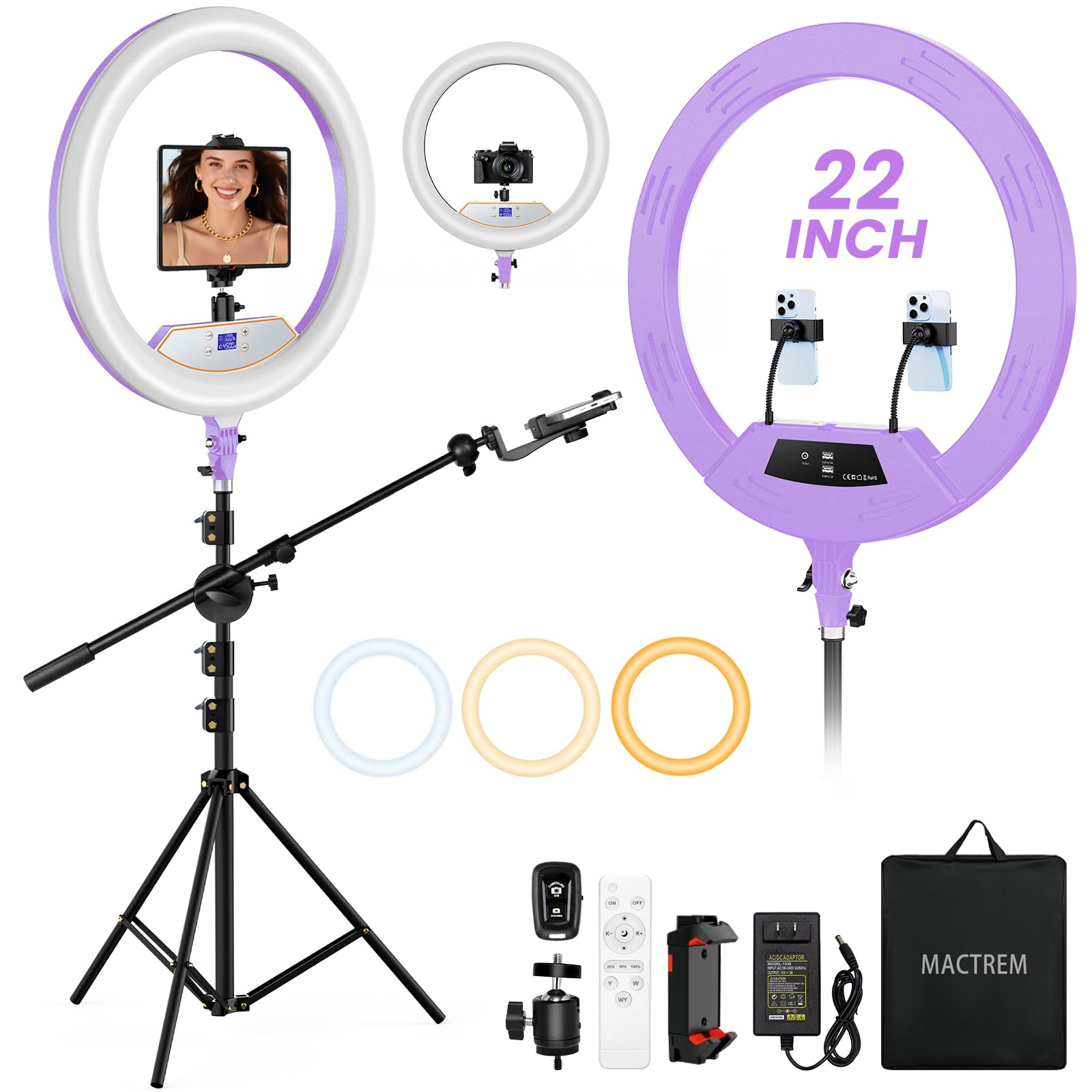
- The kit includes a 22-inch ring light and a tripod that extends to 75 inches.
- The light supports brightness adjustments from ten to one hundred percent.
- The setup includes a tablet holder, a cold shoe adapter, and three phone holders.
Best Gift For: Creators filming overhead demonstrations, product showcases, or seated videos.
SmallRig Tribex Carbon II Video Tripod
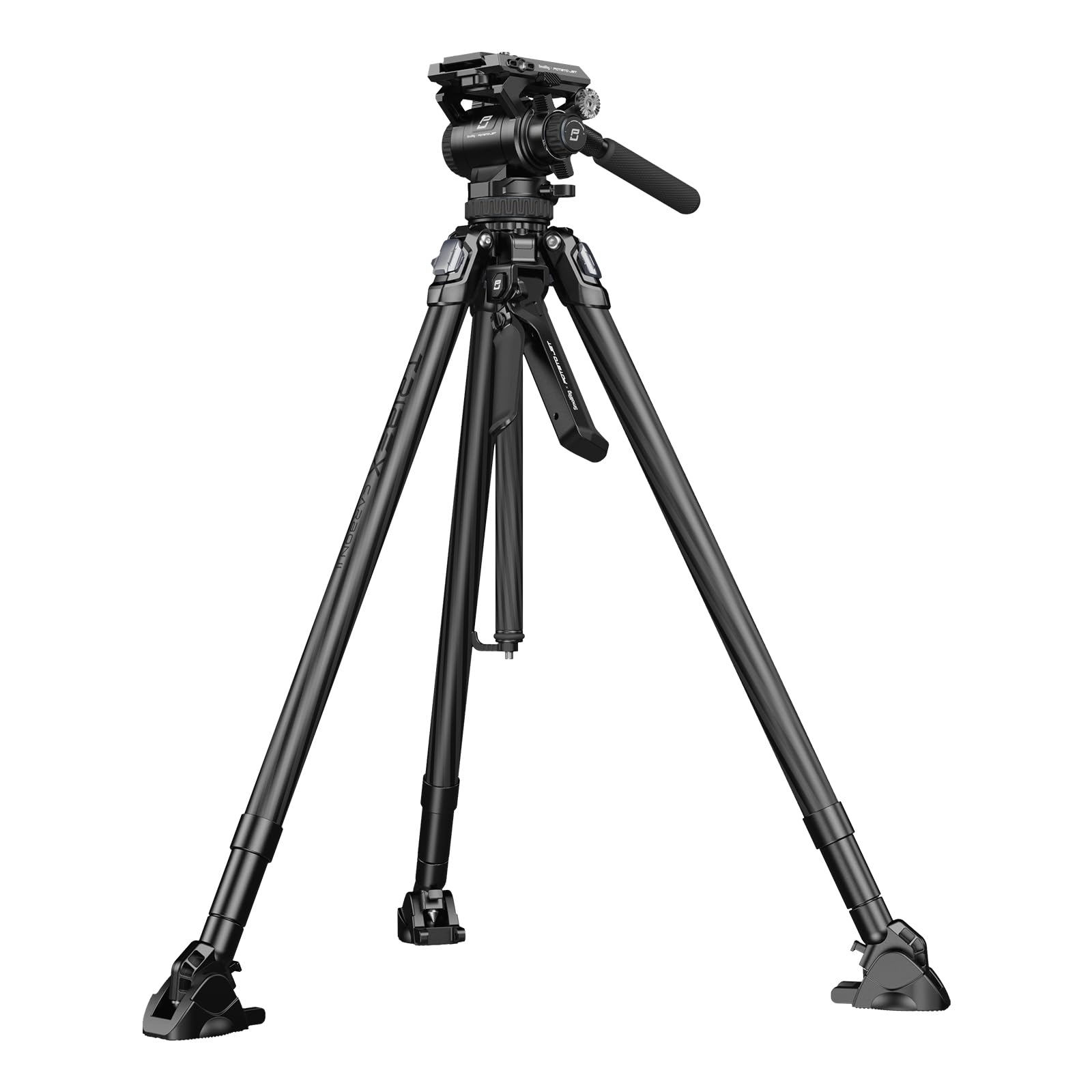
- A single clutch lets the legs unfold, adjust angle, and lock automatically.
- The fluid head offers four counterbalance settings.
- The package includes a storage bag and smartphone holder.
Best Gift For: Video creators seeking a camera tripod for controlled pans and tilts.
USKEYVISION Auto Face Tracking Tripod with Light
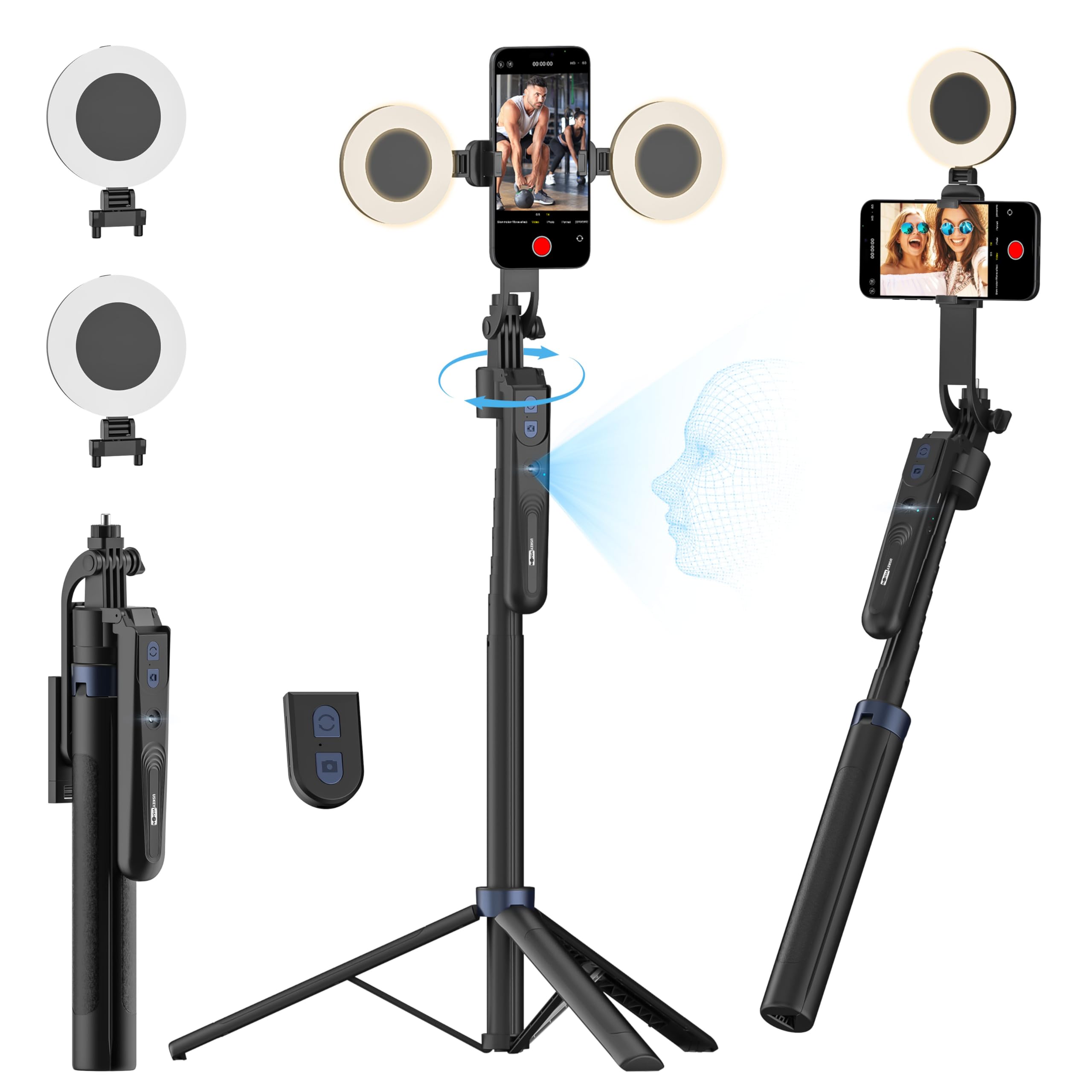
- The tripod follows face and body movements with 360-degree rotation.
- Its fill lights offer three brightness levels and three color temperatures.
- The removable remote controls video or photo capture within 32.8 feet.
Best Gift For: YouTubers who film themselves on a smartphone without someone behind the camera.
SABRENT USB-C 6-Port Hub and M.2 SSD Dock

- The hub has three USB Type-A ports for peripherals.
- Its HDMI port supports an external display up to 4K at 60Hz.
- The internal M.2 slot supports SATA or NVMe SSDs.
Best Gift For: Creators who want to connect peripherals, displays, or extra storage to a compatible laptop.
SABRENT USB-C and USB-A SD Card Reader

- The reader has both USB-C and USB-A connections.
- Its dual slots read SD and microSD card formats.
- The reader uses USB 3.0 for transfers up to 5Gbps and is backward compatible with USB 2.0.
Best Gift For: Video creators transferring footage from SD or microSD cards to a compatible device.
SmallRig Super Camera Clamp with Ballhead Arm
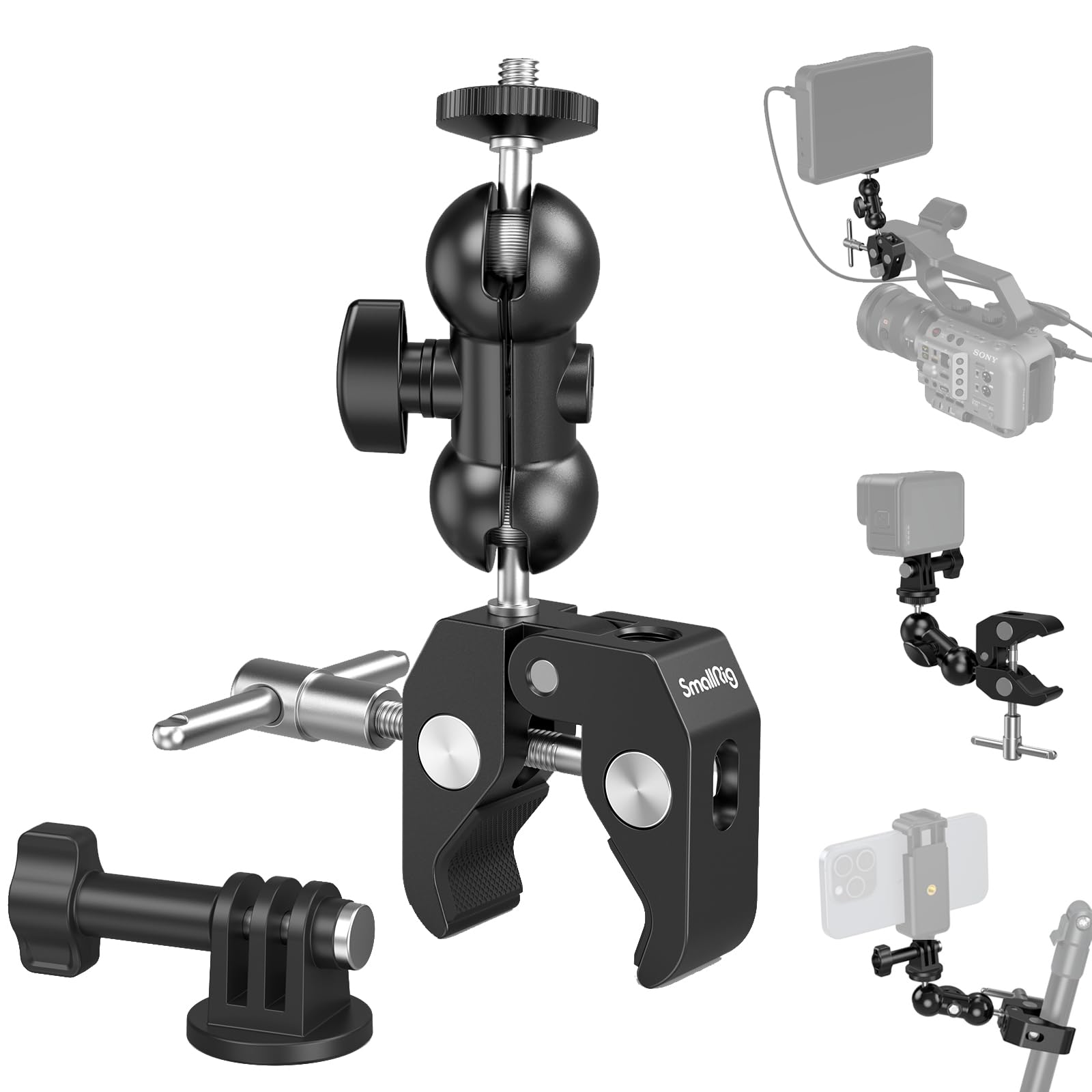
- The clamp mounts compatible gear to a rod, tube, table, frame, or tripod.
- The package includes an action camera mount adapter.
- Its maximum supported weight is 1.5 kg.
Best Gift For: Creators who want to mount a camera, microphone, monitor, or light on a table or rod.
SmallRig 47.2-Inch Parabolic Softbox Kit
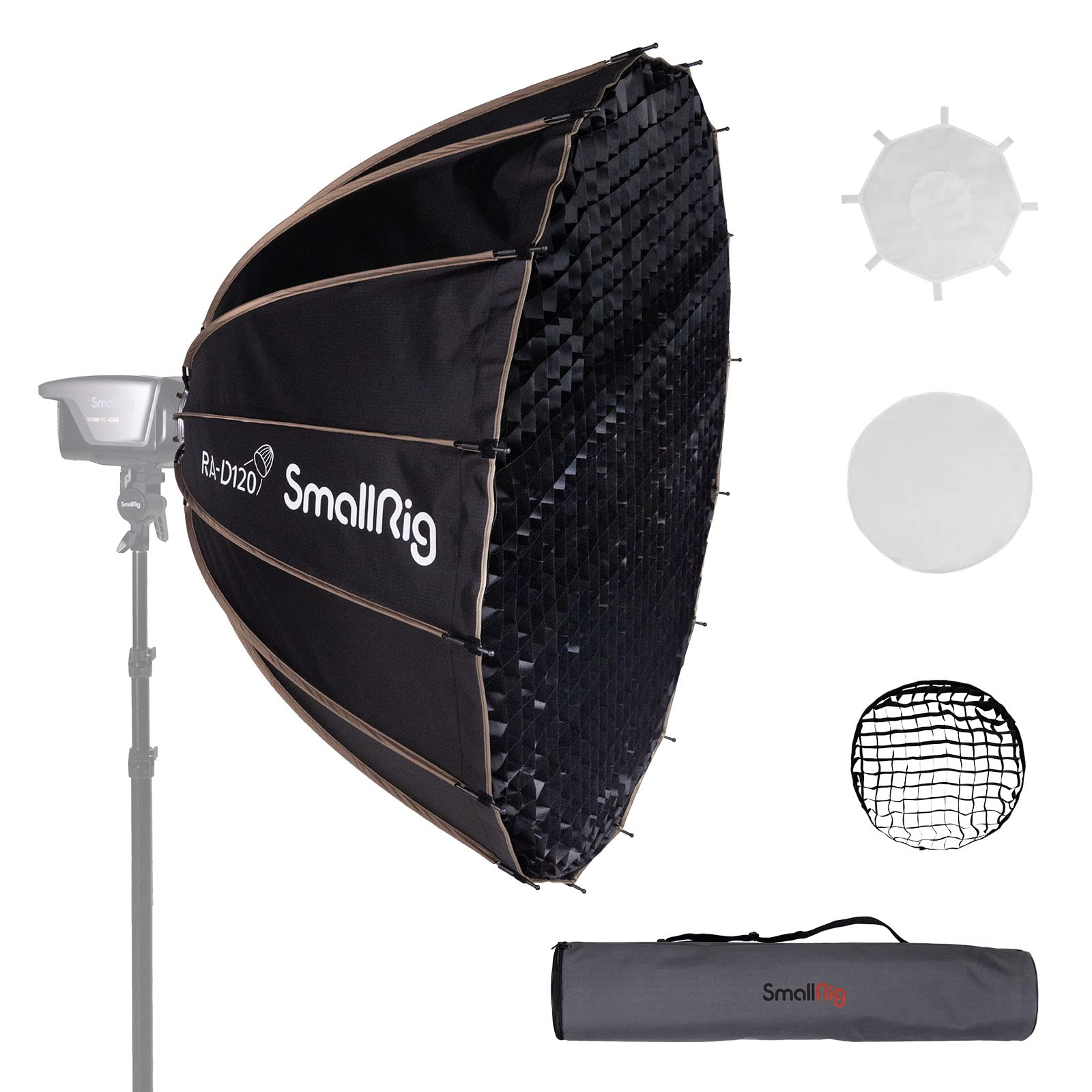
- The quick-release structure allows installation and removal in fifteen seconds.
- The softbox folds for storage and comes with a carry bag.
- The kit includes two diffuser cloths and a fabric mesh.
Best Gift For: Creators building a portrait, studio, or video lighting setup with a compatible Bowens-mount light.
MagSafe-Compatible 5000mAh Magnetic Power Bank

- The 5000mAh battery provides portable backup power.
- It combines wireless charging with USB-C output for charging two devices.
- Its slim design is 11.8 mm thick.
Best Gift For: Creators with a compatible MagSafe iPhone who want portable backup power while recording or traveling.
HP Sprocket Select Portable Photo Printer

- The printer makes 2.3-by-3.4-inch photos from a smartphone or social media.
- Its ZINK paper has sticky backing and uses no ink cartridges.
- The HP app includes editing tools and custom sticker options.
Best Gift For: Creators who enjoy turning selected phone photos into small keepsakes or stickers.
1. Choose gifts for YouTubers around their workflow
When choosing gifts for YouTubers, start with the part of making videos that seems to slow the recipient down. A creator recording talking-head videos may value reliable audio or steady lighting, while someone filming alone may appreciate a setup that follows their movement.
Ask what they currently use, or notice whether their work happens at a desk, in a small room, or in changing locations.
Match the gift to the kind of videos they actually make. A desk-based educator may use a microphone kit and flexible lighting; someone who records demonstrations from above may need a different shooting arrangement.
A camera tripod suits creators working with a camera, while phone-focused tools make more sense for someone who records directly on a smartphone.
2. Balance the budget with the creator’s setup
Set a comfortable spending range, then consider how much of the creator’s setup the gift can improve. A small file-transfer accessory can be useful when footage moves between cards and a computer; a larger lighting or tripod purchase may make more sense when the recipient has identified that specific need.
Practical gifts can be thoughtful without being the most elaborate item in a studio.
For gifts for YouTubers, avoid buying a technical accessory based only on its category. Check what ports their computer has, which memory cards they use, and whether their phone or camera can attach to the equipment.
For lighting modifiers, make sure the light they already own has a compatible mount. Confirm actual prices and compare the cost with the useful parts of the setup they already have.
3. Personalize and present gifts for YouTubers
A little context can make gifts for YouTubers feel personal. Choose around their next project: a cooking channel might benefit from a setup for overhead shots, while a travel creator may value equipment that fits the way they record away from home.
A note that mentions the video idea you had in mind helps explain why you chose the gift without implying they need to change their style.
For a more thoughtful presentation, add a handwritten card with a specific encouragement, such as wishing them luck with a planned interview or a new series. If the gift depends on a device or mount, include a simple reminder to check compatibility before opening or assembling it.
Keep packaging manageable if they travel frequently or have limited room for studio equipment.
4. Think about useful budget tradeoffs
A gift can solve one modest workflow problem or contribute to a bigger setup. If the creator already has a camera and lighting, a dependable connection accessory may fit better than another large piece of gear.
If they are just starting to film regularly, a microphone or light could help them build a more complete recording space. Consider storage, setup effort, and whether they have room to keep the item accessible.
Do not stretch a budget for specifications the recipient may never use. Before ordering, check current product details, compatibility, and dimensions against the creator’s devices and workspace.
For a more costly camera support or lighting gift, it can be worth asking a trusted friend or family member about the recipient’s existing equipment so the purchase complements it.
5. Handle timing and last-minute buying carefully
For a deadline-driven gift, choose something straightforward to match with the recipient’s current devices. Small accessories can be easier to assess quickly, but verify connector type, supported equipment, and any required companion gear before you buy.
For anything more specialized, confirm that the creator has a compatible camera, phone, computer, or light rather than guessing from appearance.
Check the seller’s current delivery estimate and leave time for the recipient to inspect the package and set it up. If a suitable gift cannot arrive when needed, give a card describing the idea and let the creator choose the exact variant after checking their setup.
That keeps the gesture timely while reducing the chance of an inconvenient mismatch.