Finding a useful gift for a gamer often starts with their setup: what they play on, how they communicate, and where they spend time between matches.
These nine ideas include gear for focused play, streaming, and making a gaming space more comfortable or fun.
9 Gift Ideas for Gamers
SteelSeries Arctis Nova Pro Wireless Gaming Headset

- Connects two systems at once, with toggling between PC, PlayStation, Switch, or Mac.
- Active noise cancellation helps limit distracting sounds during play.
- Two hot-swappable batteries let one charge while the other is in use.
Best Gift For: A gamer who plays across multiple systems and wants to mix mobile audio with game sound.

SteelSeries Apex Pro TKL Gaming Keyboard

- Offers per-key actuation settings across 40 levels.
- Lets one key trigger two actions at different press depths.
- The tenkeyless design keeps a full-size functionality feature set in a smaller form.
Best Gift For: A PC gamer who enjoys customizing keyboard response for different games.
FIFINE AmpliGame AM8 USB/XLR Gaming Microphone

- Offers USB and XLR connections for different audio setups.
- Includes a tap-to-mute control and gain knob.
- RGB lighting can be turned on or changed with its button over USB.
Best Gift For: A gamer who streams, records voiceovers, or starts a podcast.
SteelSeries Aerox 3 Wireless Gaming Mouse

- The lightweight shell design weighs 68g.
- Connects using 2.4GHz wireless technology or Bluetooth 5.0.
- Its interiors are shielded from water splashes, dust, and dirt.
Best Gift For: A gamer looking for a wireless mouse for fast-paced play.
TP-Link Archer AXE75 WiFi 6E Router

- Tri-band WiFi 6E supports gaming, streaming, and browsing.
- The 6 GHz band is designed to bring more bandwidth and responsive gaming.
- Supports VPN server and client functions.
Best Gift For: A gamer or video caller who wants responsive gaming and video chatting on WiFi 6E.
HUANUO FlowLift Dual Monitor Stand

- Fits computer screens from 13 to 32 inches, weighing 4.4 to 19.8 lbs, with VESA mounting holes at 75x75mm or 100x100mm.
- Arms allow tilt, swivel, and rotation adjustments.
- Built-in cable management guides wires along the arms.
Best Gift For: A gamer with two compatible monitors who wants more usable desk space.
Nylavee Computer Speakers with 6 Lighting Modes

- Offers six touch-controlled lighting modes for the desktop.
- A single knob controls power and volume.
- Includes USB power and a 3.5mm audio connection.
Best Gift For: A gamer who wants desktop speakers with adjustable lighting and simple controls.
TMY 1080P Mini Portable Projector with 80-Inch Screen
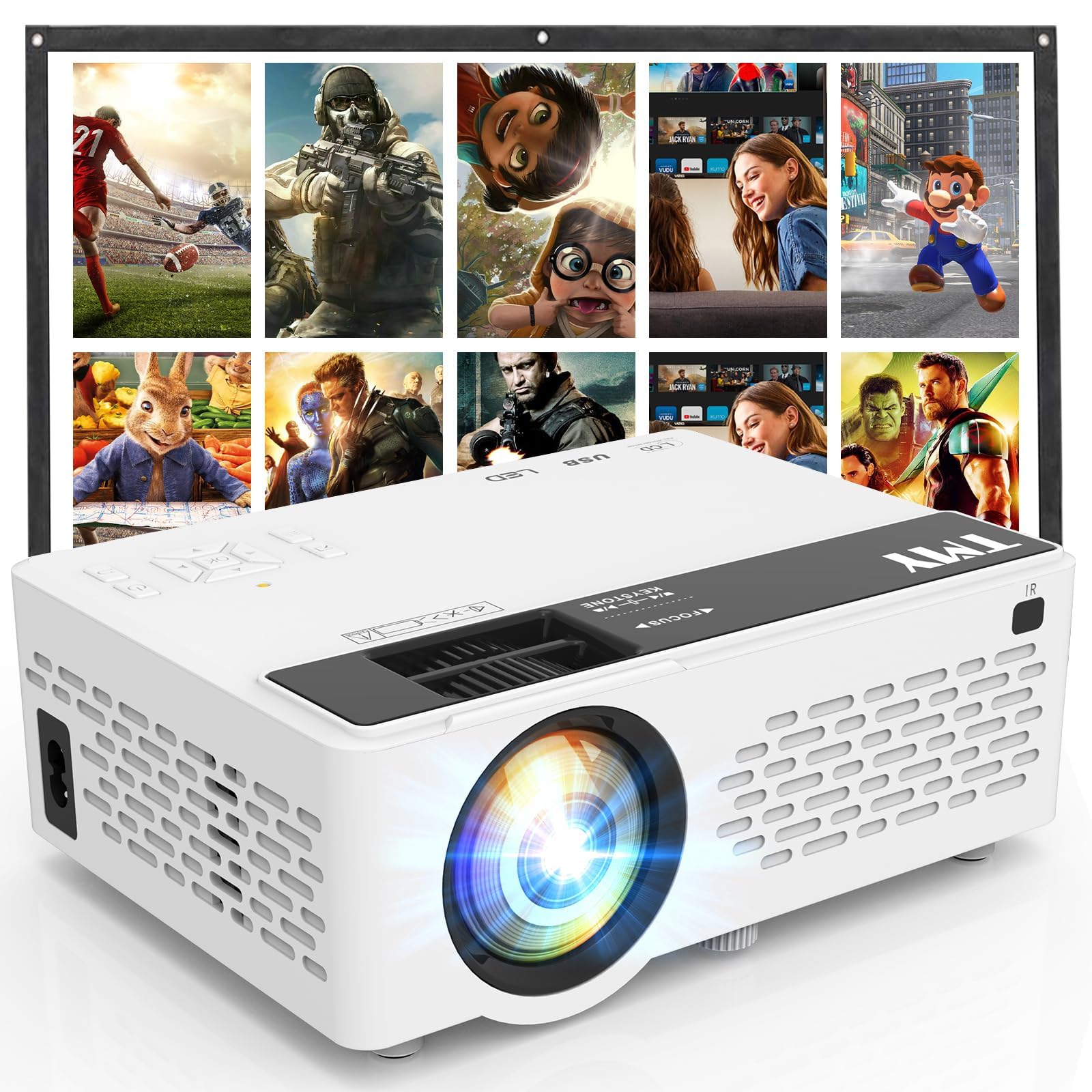
- Includes a foldable 80-inch projection screen.
- Supports 1080P Full HD video.
- Connects to game consoles through its HDMI port.
Best Gift For: A gamer who wants to play console games on a larger shared screen.
Sleek Socket Flat Outlet Concealer with 3-Foot Extension Cord
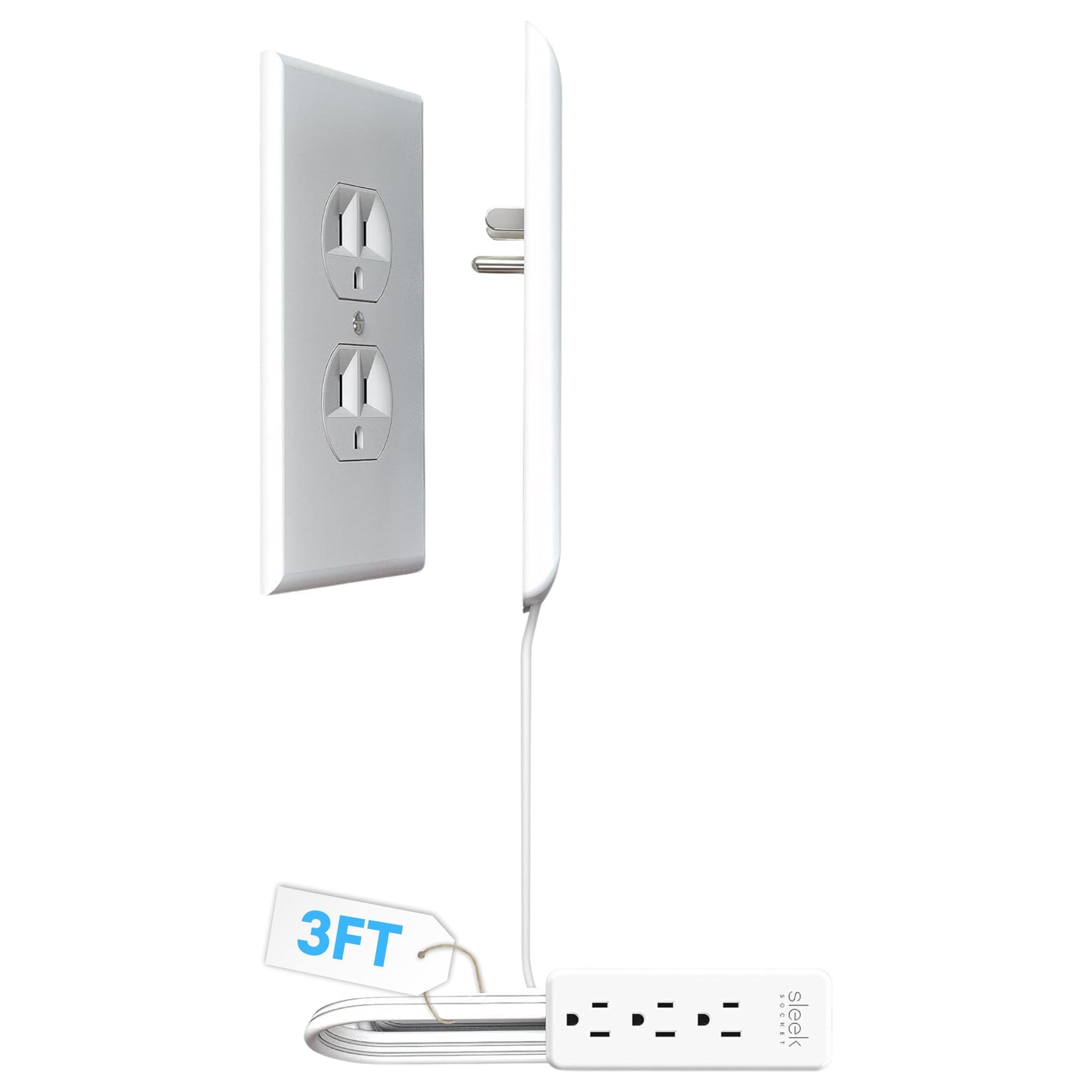
- Includes a 3-outlet power strip.
- The flat cord is intended to help organize plugs and cables.
- Adhesive clips and strips help secure the cord along a wall.
Best Gift For: A gamer who wants to organize visible cords around a desk or entertainment area.
1. Match gifts for gamers to the way they play
For gifts for gamers, first think about where and how the person plays. Someone moving between a console and PC may value flexible audio, while a streamer may care more about microphone controls.
A thoughtful match starts with a real habit you have noticed, such as late-night sessions or voice chats.
Check what equipment they already own before choosing an accessory. Confirm the platform, connection type, desk layout, and whether they use one screen or two.
A quick, casual question about their setup can prevent a well-meant gift from being incompatible.
Consider the space around the gaming gear, too. A shared living room might call for easier audio adjustment or a tidier cord arrangement, while a dedicated desk makes room for a more substantial setup upgrade.
Gifts that fit the person’s actual space are more likely to get regular use.
2. Balance budget and usefulness
Set a comfortable budget before comparing options. Small additions can make a useful gift when they solve a familiar annoyance; larger purchases make more sense when you know the recipient wants that specific type of upgrade.
A higher price alone does not make an accessory a better fit.
For a bigger item, consider whether the gift is complete for the recipient’s setup. Check whether it needs another component, works with their devices, or depends on a particular desk or connection.
Those details affect the eventual cost and effort of getting started.
If you are unsure about a costly or compatibility-sensitive choice, a gift receipt or a conversation about preferences can make the present easier to use. Choose based on the problem it addresses—clearer communication, a more comfortable desk, or shared entertainment—rather than on a feature list alone.
3. Personalize gifts for gamers
Gifts for gamers feel more personal when you connect them to a particular interest or routine. If they talk about streaming, multiplayer sessions, or hosting friends, add a short note explaining why that detail made you think of them.
The message can make even a practical accessory feel considered.
Presentation can follow the same idea. Pair a desk accessory with a handwritten note about a future game night, or wrap a setup upgrade with a small card inviting the recipient to show you how they use it.
Keep any extras simple and related to their interests.
You can also personalize around their space: choose wrapping colors that suit a desk or gaming corner, or include a small printed playlist or game-night invitation. Avoid assuming their favorite characters, teams, or genres unless you know them well.
A specific detail you have heard them mention is a safer guide.
4. Think through fit before buying
Before ordering, check the recipient’s devices and available connections. A computer, console, phone, or tablet can use different ports and audio paths, so confirm compatibility with the exact setup.
For desk-mounted gear, check the relevant measurements and mounting requirements instead of relying on appearance.
Think about practical tradeoffs as well. A larger setup item may need room, installation, or a suitable surface; a compact accessory may be easier to place but solve a narrower problem.
Read current product information and compare it with the recipient’s setup before making the final choice.
If you cannot check directly, ask someone who shares the setup or choose a gift that is easier to exchange. Keep the recipient’s habits in mind: a person who games in a shared room may value considerate, space-conscious gear, while someone with a dedicated desk may welcome a more involved change.
5. Leave time for last-minute buying
When time is short, start by narrowing the choice to a familiar need and a product that fits the recipient’s devices. Check current price, compatibility, dimensions, and delivery estimates before ordering; availability and arrival timing can change.
Avoid rushing into a technically specific purchase without confirming the basics.
For a flexible last-minute present, choose something tied to a preference you already know, such as a tidier setup or a shared game-night plan. A gift receipt and a simple note can help if the recipient needs a different connection or configuration.
If a physical gift may not arrive in time, you can still make the occasion feel thoughtful with a card describing the idea and a plan to choose it together. That gives the recipient a say in the details and keeps the gesture personal, even when the final selection happens later.